
Key Takeaways
- Observe when and where the HVAC clicking takes place to potentially identify causes like metal contraction, relays, compressor auto-settling, fan obstructions or control board signals. Record whether clicks occur at times of startup, shutdown or randomly.
- Tell normal clicks from warning clicks by tracking frequency, rhythm, and volume. While rhythmic, occasional clicks are typically harmless, rapid, repetitive, or loud clicks can indicate an electrical or mechanical issue.
- Follow a simple diagnostic routine: locate the sound source by moving around the home, log timing and pattern for several days, inspect vents and fan areas with power off, and try a single safe system reset before escalating actions.
- If clicking is accompanied by burning odors, a loss of heating or cooling, loud sharp noises, or clicks continue after troubleshooting, STOP the system and call a pro immediately.
- Be proactive about maintenance. Routine service, changing filters on time, and removing debris from indoor and outdoor units help minimize clicking culprits and maximize equipment lifespan.
- Record and note everything, including any DIY steps you take, to share with technicians. This enhances their diagnosis and saves you time and money on repairs.
A common indicator of small mechanical or electrical problems is an HVAC system making a clicking noise when off. The noise usually originates from expanding or contracting metal, a failing relay or thermostat signal.
Frequency, timing, and location assist in honing the cause. Basic diagnosis can eliminate loose panels or debris.
Persistent clicking typically requires a professional to evaluate relays, dampers, or control boards before the sounds cause additional wear.
Uncovering Click Origins
Clicking in an HVAC system when it’s off can originate from a number of different sources. In order to find out where a click is coming from, you have to pay attention to timing, location, and rhythm. Here are the most common culprits, how they sound, when they’re normal and when they indicate problems.
1. Metal Contraction
Metal components in the outdoor and indoor units expand with heat and contract as they cool, generating a sharp or dull click post shutdown. These clicks are generally brief, one-off incidences and largely benign, especially in fresh units that break in with initial use. Track the number and volume.
Every once in a while, a single click is OK, but repeated or louder clicks can indicate loose panels or mounting hardware. Create a quick checklist of other standard AC sounds, such as hums, faint rattles, and airflow whoosh, to contrast with contraction clicks and assist your notes for a technician.
2. Electrical Relays
Relays click when they open or close circuits, so one click at shutdown or startup is typical and anticipated. Repetitive, rapid, or staccato clicking from relays may indicate a failing relay, weak control voltage, or loose wiring, which are electrical faults that can deteriorate over time.
See if the clicking coincides with thermostat commands or changes. If it does, the control signal path or thermostat wiring might be implicated. Continual relay clicking, on the other hand, should have a professional take a look electrically, lest you damage a component or cause a fire.
3. Compressor Settling
As the compressor powers down, valves and internal components can shift resulting in a single or brief series of clicks as the unit settles. Some compressor clicks are to be expected and nothing to worry about.
Unusual clicking, excessively loud, continuous, or occurring after complete shutdown, can be a sign of internal wear, valve issues, or a failing start device. Clicking stops after a few minutes. If it continues, make note of timing and share with the technician as broken compressors or cracked heat exchangers can sometimes exhibit intermittent noises and be a safety risk.
4. Fan Obstructions
Debris, sticks or loose fasteners in the fan housing can cause rhythmic clicks while the fan coasts after shutdown. Always kill power at the breaker before looking in the fan area.
Outdoor units endure storms, wind and landscaping debris, so a quick visual inspection usually pins down the culprit. Ignoring fan-related clicking can cause blade damage or motor strain. Use a basic checklist: power off, clear debris, check blade alignment, and ensure grille is secure.
5. Control Board Signals
The control boards click as they switch relays and route power. Single clicks connected to commands are typical. Bouncing clicks from the board normally indicate a malfunction, such as bad connections or dying parts.
If clicking coincides with performance drops or error codes, note timing and frequency. This assists in troubleshooting electrical faults and avoiding repeat failures. A quick reset at the thermostat for a few minutes will sometimes clear a transient click, but persistent multi-click shutdowns require investigation.
Your Diagnostic Steps
Take your diagnostic steps starting with turning off the HVAC system to limit further damage and minimize risk while you listen and look. Stand clear of outdoor equipment, check for visible obstructions such as branches or debris, and verify power is off at the thermostat before proceeding closer. Maintain a notebook or digital log of what you encounter.
Pinpoint Location
Listen from multiple positions: beside the indoor furnace or air handler, at the outdoor condenser, and near supply and return vents. Walk around the house from room to room and stop at each one to make an estimate of volume and direction. Don’t just assume where it’s loudest is where it’s coming from.
Pay attention to where the noise is focused, such as around the compressor, the fan motor, the duct plenums, or specific vents, and note these locations on a basic floor plan or schematic for reference. Diagnose your diagnostic steps. Check the thermostat display and batteries when you’re indoors. A malfunctioning thermostat may emit relay clicks that sound as though they’re originating from elsewhere.
If you think it’s your outdoor fan or compressor area, look for junk stuck near the fan blades or condenser fins.
Observe Pattern
Record when clicking starts and stops: at startup, right after shutdown, intermittently while idle, or only when the thermostat calls for cooling or heat. Follow your diagnostic steps and frequency (clicks per minute) and duration (single clicks, short bursts, or long sequences) for several days and note weather or usage conditions at those times.
Use a table or simple chart to identify patterns, such as clicks that occur during high humidity or right after a power surge. Variations across days might indicate wear in electrical components or a blade occasionally hitting trash.
Inspect Vents
Open and examine supply and return registers for loose screws, bent or broken louvers, or any objects that may be caught and flutter with airflow. Press vent covers gently to verify fasteners hold and replace torn or warped covers.
Peer into ducts with a flashlight for insulation chunks, paper, or a rodent nest that can rub and crackle. Vacuum away dust bunnies and change air filters every couple of months to maintain a consistent flow of air and limit rattling. Regular vent inspections decrease the probability of airflow-induced clicking.
Reset System
Now, try resetting safely. Turn off power at the thermostat, then the circuit breaker if necessary. Wait three to five minutes and restore power. Listen if clicking comes back right away, only at startup, or never.
A single successful reset can wipe out small electronic gremlins in relays or control boards. Don’t continue to reset if clicks continue. Persistent electrical clicking usually needs professional diagnosis for relays, contactors, capacitors, or refrigerant-related faults.
When to Call Professionals
If your HVAC clicks when off, those clicks can indicate everything from minor settling to a serious fault. Here’s a roadmap of caution signs that deserve professional service and why speed is important.
- Click with no joy and no progression after a few cycles or resets of repeated clicking.
- Clicking paired with burning or electrical smells.
- Unexpected system shutdowns or loss of heating/cooling function.
- Loud, sharp clicks that escalate to banging or grinding.
- Visible rust, moisture buildup, or debris inside the unit.
- New or worsening sounds during each system cycle.
- Unit age over 10 years with recurring issues.
- Indicators of overheating include hot panels or tripped breakers.
Putting off fixes could lead to more costly damage, expensive repairs, wasted energy, and potential safety issues. Little problems caught or heard soon are less expensive and easier to repair.
Technicians can detect nuanced problems, such as loose fasteners, failing relays, or concealed moisture that a quick DIY inspection will overlook. If clicking is accompanied by odd noises or odors, discontinue use.
Turn the thermostat off and cut power at the breaker if you can safely do it. Continuing to run a unit that emits burning odors or loud mechanical noise can cause component failure or fire. Call in a professional immediately.
Experienced technicians employ meters, inspection cameras, and pressure gauges to isolate electrical faults, failing contactors, control board glitches, or refrigerant-related events. They can recommend repair versus replacement, especially for those that have more than 10 years on them.
Proper diagnosis logs problems for warranty claims and avoids repeat callbacks.
Burning Smells
Burning or electrical smells with clicking should be turned off and serviced right away. These odors typically indicate overheating wires, failing capacitors, or burning motor windings. Any one of these may ignite if not dealt with promptly.
Turn the system off, shut off circuit power if safe, and contact an HVAC electrician or licensed technician immediately.
System Failure
If it won’t start, stops mid-cycle, or loses heating or cooling while clicking, call a pro. Such failures often indicate a relay, control board, compressor issue, or serious electrical fault.
Resist the temptation of a do-it-yourself fix that could end up voiding the warranty or damaging components. Have a concise list of symptoms, when they occurred, and any resets you attempted ready for the technician.
Loud Noises
Very loud or sharp clicks, particularly with banging or grinding, indicate imminent component failure. Close it down until it is looked at. If ignored, the damage can extend and increase repair costs drastically.
Early action safeguards efficiency and equipment life.
Unresolved Clicks
If clicks continue after simple troubleshooting and a reset, call in a professional. Continuing clicks can conceal loose components, malfunctioning relays, or dirt.
Record everything you tried to fix it and any observations of the problem and share that with the pro. This expedites diagnosis and prevents them from missing stuff.
The Sound of Silence
A silent HVAC is an indication the system is running well. There are surprising clicks when the unit is off that shatter that silence and frequently indicate particular reasons. Here are some useful tips on how to distinguish ordinary from abnormal clicks, how to monitor them and why reinstating silence is essential for your comfort and clear-headedness.
The Normal Clicks
Routine clicks emanate from routine, low-risk sources. Relays and contactors snap soft as circuits open and slam closed. Metal components contract and expand with temperature changes, resulting in faint ticking following a wash cycle.
Thermostat commands or the system’s timed checks can produce individual, spaced clicks.
- Soft relay snap when the thermostat cycles
- Light ticking as metal ducts or panels cool
- One-time click as capacitors discharge after shutdown
- Occasional blower motor relay engagement during scheduled checks
- Low-volume compressor start/stop clicks hours after operation
Acquaint yourself with these sounds, listening in between and after normal cycles. DIY record short clips of audio on a phone to establish a baseline. Against these clips, new noises can be compared to judge whether a sound is routine or new.
The Warning Clicks
Fast, frequent or uneven clicks warrant quick action. Rapid staccato can signify a dying electrical relay or a short. Loose screws or debris flinging against spinning parts can cause irregular, random clicking.
Clicking associated with bad capacitors or attempts to ignite in gas furnaces might indicate part failure.
Warning clicks often point to:
- Repetitive rapid clicks indicating relay chatter or shorting.
- Pinging metal-on-metal noises from loose panels or fasteners.
- Clicks with half-starters of the compressor or fan.
- Clicking plus burning or chemical odors suggesting electrical fault.
- Occasional clicks that go with power surges or thermostat signals.
Get new or worsening clicks while they’re small! Turn the unit off if you smell burning or see sparks. Schedule expert service for electrical signs. Little repairs, such as tightening loose fasteners or replacing a worn relay, can bring back the quiet and keep big-time meltdowns away.
Interpreting Rhythms
Consistent rhythmic clicks usually match normal system cycles, a predictable cadence when the thermostat calls for heat or cooling. Racing, unexpected pauses or a click that jumps timing before movement signals an emerging malfunction.
Maintain a sound diary – time, weather, recent repairs, what the system was doing when clicks happened. See if clicks are associated with less cooling, more energy, or short-cycling of the compressor.
Over weeks, this log displays patterns and assists technicians in locating intermittent faults more rapidly.
As a fan of The Sound of Silence, a quiet home helps me focus and be well. Literally, silence can spark creativity, support meditation, and feel restorative. Others find it eerie and prefer white noise.
Proactive System Care
Proactive system care minimizes the risk for clicking noises and keeps your HVAC quietly humming. Periodic care keeps tiny defects from expanding into system-wide breakdowns and prolongs equipment life. The below steps provide what to take, who to call and when with working examples you can apply at home.
Routine Servicing
Annual or seasonal check-ups detect early wear before it causes noise or failure. Have a technician check electrical contacts, the control board, relays, and fan assemblies. Loose contacts or failing relays often click when the unit cycles or even when off.
Have the tech check capacitors and contactors and measure current draw. An increase can indicate motor or bearing strain that will become noisier as time goes on.
Add a noise check on every visit. A technician can cycle the system and hear intermittent clicks that homeowners overlook. Ask for a written ‘condition report’ that details odd noises, probable causes, and remedies.
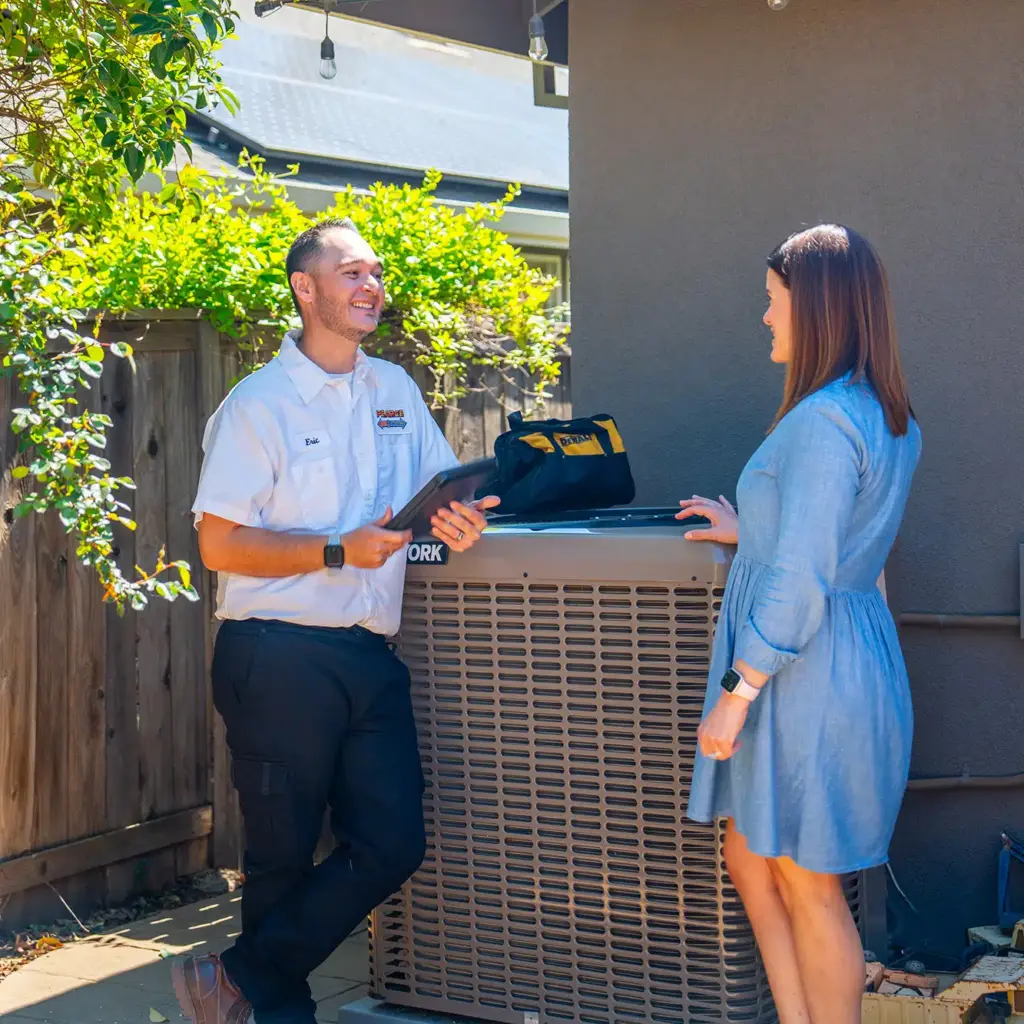
Compare reports year to year to identify slow trends such as bearing wear or recurrent electrical arcing. Regular maintenance keeps comfort consistent and productivity at its peak, particularly ahead of high demand seasons.
Electrical faults tend to emerge when systems work hardest. Pre-season inspections reduce the likelihood of an emergency call during the highs and lows of hot and cold weather.
Filter Changes
Change your air filters on a regular schedule to prevent airflow restriction and strange noises. A clogged filter makes the blower motor work harder and can cause uneven airflow that results in vibrating panels or a clicking noise from dampers shifting under stress.
For standard residences, inspect non-expensive fiberglass or pleated filters every 1 to 3 months. High-efficiency filters could last longer, but you still have to check them regularly.
Set calendar reminders tied to usage patterns: monthly during heavy use, every two to three months otherwise, following manufacturer guidance. In high seasons check filters more frequently as pollen, dust, and pet hair load filters more rapidly.
Swapping or cleaning filters is an inexpensive action with a huge impact on noise, efficiency, and indoor air quality.
Debris Removal
Check indoor and outdoor units and clear leaves, twigs, and dirt. Outdoor condenser fans can collect debris that hits blades and creates a sharp click as the fan twirls. Indoors, random nuts, screws, or marbles will fall in the blower cabinet and click on the housing.
Perform a visual walk-around once a month and use a soft brush or low-pressure vacuum to remove visible obstructions. Create a seasonal debris checklist: clear 2 to 3 feet around outdoor units; prune bushes; check drain pans and condensate lines; extract alien bits from fan housing.
Leave the space open for airflow to remain constant and parts do not catch debris during start and stop cycles.
Ignoring the Noise
An HVAC unit that clicks when off may appear innocent enough, but the noise can indicate problems that need to be addressed. Little noises might indicate early abrasion, whereas constant or loud clicking usually signals electrical or mechanical defects. Evaluating and reacting fast minimizes danger, reduces patching expenses, and keeps the system operating smoothly.
Minor Annoyance
Even a subtle, consistent click can interrupt calm nights and decrease homely coziness. Track when the click happens: after shutdown, during temperature swings, or only at certain outdoor conditions. Observe the rate and pattern. One click at shutoff is occasionally normal, but repeated clicking or new onset noise should be addressed.
Change your air filters and clear the area around your outside units as easy initial actions. Maintenance prevents small noises from escalating.
Component Failure
If it clicks persistently, it usually means a part is going bad. Relays, contactors, capacitors, and control boards click as they go bad, and mechanical components such as dampers or fan motors can make these types of noises if their bearings or mounts become loose. Ignoring this signal increases the probability of unexpected failures that necessitate expensive emergency replacement.
Maintain a log of maintenance dates, replaced parts, and sound notes. If you notice a pattern of repeat problems, trade out the tired part first to prevent cascading outages and system failure.
Safety Hazard
Clicking associated with electrical shorts is a safety issue. Sparking or shorting can make clicking along with heat, burning odors, or smoke. Those are immediate red flags: cut power and call a qualified technician. Electrical failure can cause fires or shocks if untreated.
Even in the absence of obvious odors, chronic electrical clicking amplifies your risk over time. Safety before convenience. A temporary reboot may hide your symptoms but doesn’t cure your manifest faults.
Take practical, low-risk steps first: check filters, secure loose panels, clear debris from outdoor units exposed to wind and storms, and try a controlled power cycle to rule out transient faults. If clicking continues, have a licensed HVAC professional diagnose it.
Procrastination will decrease efficiency, increase energy bills, decrease system life, and turn minor repairs into major ones.
Conclusion
A click from an HVAC unit when idle frequently indicates easy-to-solve reasons. Loose panels, settling metal or a sticking relay can produce the sound. Little things like tightening screws, removing debris or replacing an inexpensive relay halt most clicks. Watch for added signs: frequent cycles, strange smells, or higher bills. Those symptoms indicate larger problems and require a professional. Keep a short care plan: clean filters, clear the area around outdoor units, and schedule a yearly tune-up. That reduces wear and keeps noise down. If the click accompanies heat or airflow loss, schedule a service call. Need a fast checklist or a short script to help you with a technician? I could write one.
Frequently Asked Questions
Why is my HVAC system making a clicking noise when it is off?
One of the most common sources of clicking when off are cooling fan motors, relays, or contracted metal. Thermal expansion or a stuck relay can click as components shift. Check the outdoor unit and listen near the air handler for loose parts.
Can a thermostat cause clicking noises when the system is off?
Yes. A defective thermostat or its relay can send brief signals that click. Change batteries and try with the thermostat off to isolate.
Is a clicking noise a sign of an electrical issue or safety hazard?
They can. Repeated or loud electrical clicking indicates relay or contactor failure. Turn the system off and consult a qualified technician to prevent fire or component damage.
Will regular maintenance stop the clicking noises?
Usually, maintenance like cleaning, tightening fasteners, lubrication, and replacing worn relays or capacitors reduces clicks. Yearly tune-ups reduce the risk of recurring sounds and surprise breakdowns.
When should I call an HVAC professional about clicking sounds?
Call if clicking persists, is loud, or comes after burning odors, power trips or performance degradation. Reach out to a pro if you can’t find the source or if simple inspections don’t resolve it.
Could a loose panel or ductwork be causing the noise?
Yes. Loose access panels, mount brackets, and ducts can click as temperatures shift. Tighten any loose panels or ducts. If the noise persists, have a technician check possible vibration points.
Is it expensive to fix clicking noises when the system is off?
Pricing differs. Tightening panels is cheap. Replacing relays, motors or contactors is medium. Electrical fixes or parts replacements cost more, but they help avoid more damage. A repairman can provide an exact estimate.